
The latest Windows 10 update may have improved multitasking and login authentication processes, but it does have its downsides. From stuck updates to shrunk storage space, we got you covered on how to fix five of the most frustrating Windows 10 issues.
Optimize Windows 10 with these steps
Customize your Windows 10 experience
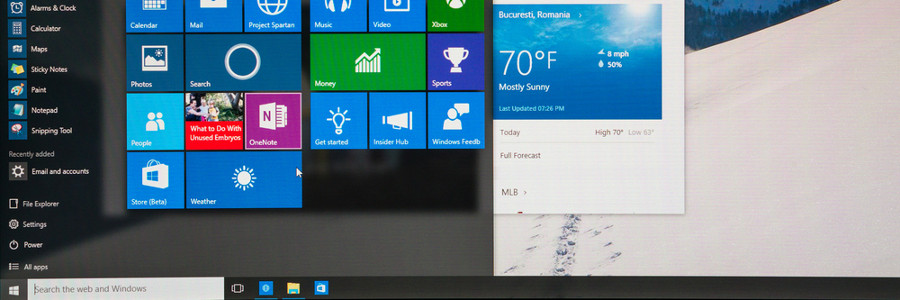
You log into your PC and you’re greeted by an incredibly plain desktop background and an equally drab Start Menu. Suddenly, a notification goes off and tells you that an application you barely use is ready for an update. Sounds like a nightmare, doesn’t it? If you want your desktop to look or behave a certain way, try out these tips to personalize your Windows 10 experience.
Improvements coming to Visual Search in Bing
How would you search the internet for an item you didn’t know the name of? Throwing together a few descriptive words probably isn’t enough to find what you’re looking for, but what if you could search using just an image? Microsoft’s Bing lets you do exactly that and it’s receiving some big upgrades.
What’s new in Windows 10 Redstone 5

With Windows taking up 36.3% of the total market share of operating systems worldwide, it’s no wonder every major update of Windows is highly anticipated. After the release of Windows 10 Redstone 4, enthusiasts now eagerly await Windows 10 Redstone 5. We’ve compiled the most significant updates of the system.
HTTPS matters more for Chrome

HTTPS usage on the web has taken off as Chrome has evolved its security indicators. HTTPS has now become a requirement for many new browser features, and Chrome is dedicated to making it as easy as possible to set up HTTPS. Let's take a look at how.
For several years, Google has moved toward a more secure web by strongly advocating that sites adopt the Secure HyperText Transfer Protocol (HTTPS) encryption.
Microsoft unveils new features for Outlook

Microsoft outlined a list of new features it will deliver to its various Outlook apps, including bill-pay reminders, better calendaring across time zones, and a way to see who has RSVP’d for a meeting. Here are five that could potentially be the most important.
OneNote removed from Office 2019 and Office 365
People who use OneNote for Windows are in for a surprise. The desktop version of the app will be phased out in favor of the UWP (Universal Windows Platform) app included with Office 365 and Microsoft Office 2019.
Microsoft's OneNote desktop application is nearing the end of its journey, as the software giant will stop developing the product line past the 2016 edition.
New security features on Office 365

To bolster users’ safety, Microsoft recently added security features to Office 365. These enhancements give home and business users peace of mind whenever they send an email, share a link, or forward an attachment. There’s no such thing as being too secure, so we recommend staying abreast of them now.
Helpful new features coming to Windows 10

Windows updates are notorious for taking too long to install and providing few tangible benefits. But Microsoft aims to make amends with the forthcoming Spring Creators Update, which takes half as long to set up and introduces several new features. Brush up on what’s coming so you can take full advantage of the update on Day 1.
Timeline
Replacing the Task Viewer icon that sits along the Windows taskbar, Timeline lets users view their desktop’s activity history.
Windows Server gets a big upgrade

Despite measurable impacts on the bottom line, most business owners don’t get excited about the release of server software. Microsoft is doing its best to change that with Windows Server 2019, a brand new operating system that includes an impressive list of features.