
Transitioning from a Windows PC to a Mac doesn't have to be complex and time-consuming. Apple's Windows Migration Assistant is designed to simplify the switch by streamlining the data transfer process. In this step-by-step guide, we'll explore how to use Windows Migration Assistant to transfer your important files, applications, and settings to your new Mac.
Simplifying the switch: How to use Windows Migration Assistant to transfer data from PC to Mac
Here’s how to maximize your Time Machine’s potential

The widespread belief that Mac computers are the epitome of reliability doesn't exempt them from viruses, crashes, or accidents such as spilled liquids and theft. In times of crisis, Apple’s Time Machine can be your trusted ally for recovering precious data.
Ways to breathe new life into your outdated computer

If you're like most people, you probably think it's time to buy a new computer when it starts to slow down or crash all the time, and when it’s just generally not meeting your needs. But before you go shopping for a new computer, consider all of the ways that your old one could still be useful.
Malware that can infect your Apple computer

If you've been noticing strange behavior on your Apple computer lately, it could be infected with malware. Read on to learn about the common types of Mac malware and how to detect them.
Types of malware that can target your Mac
The following types of malware can be highly disruptive and cause considerable damage to your Mac.
Migrate your files seamlessly from a Windows PC to a Mac

Migrating a large amount of data to a new device can be quite troublesome, especially if you’re switching from a PC to a Mac. Fortunately, you can do it easily with Apple’s Windows Migration Assistant. Seamlessly transfer your data and get your Mac set up and ready to go by following these steps.
Can malware affect your Mac?

Malware creators will target anyone and everyone, including Mac users. So even though Apple computers are less vulnerable than Windows PCs, they are not completely impervious to cyberattacks. Read on to find out the different threats you should protect your Mac against, as well as signs that your computer has been compromised.
Secure your Mac before discarding it
Well over half of Americans save account passwords to an application or web browser, and at least as many also store private documents on their computers. That’s fine for people who take active measures to protect their data, but if you give away a computer, you surrender all control over it.
6 Surefire signs you need to upgrade your Mac

Apple computers are built to last, but you’ll eventually have to replace them with a new one when they start slowing down. So how do you determine if it’s finally time to put your Mac to rest? We highlight six surefire signs your company needs a Mac upgrade below.
Improve your new MacBook’s functionality with these tips
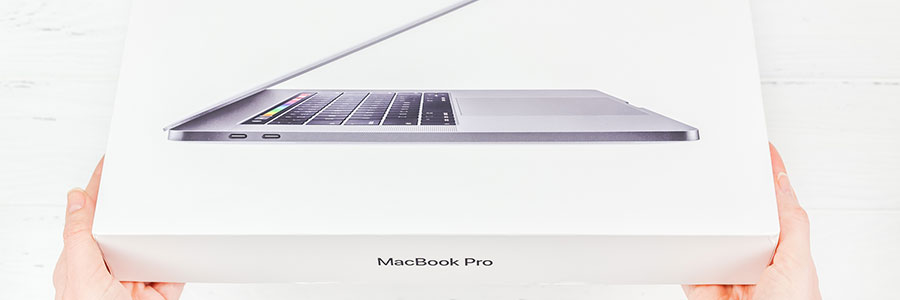
MacBooks are among the most in-demand devices for both work and personal use, primarily because of their user-friendly interface and robust security. They also have their sleek, minimalist design going for them. So if you’ve finally given in and bought yourself a MacBook, you’ll want to make the most of your new toy — and here’s how you can do that.
Boost your Mac’s speed with these 5 tips

Even Macs are not immune to slowing down, but this problem is usually something you can resolve with a tweak or two. In this post, we prepared five tips to keep your Mac as speedy and efficient as you need it to be.
Clean up your Login Items
The Login Items list (also known as the Startup List) contains all the apps and programs that automatically start when you log in.