
Windows 10 helps users by giving useful suggestions as they type and by displaying ads based on their online searches. But these can feel invasive after a while. To ensure your privacy and keep Microsoft’s watchful eye off your computer activity, follow these tips.
Ensure your privacy in Windows 10

Microsoft Office 365 is now Microsoft 365 Business

Change can be difficult in business, but it can also usher in a new era of productivity and profitability. Microsoft is shooting for better ways to improve productivity and elevate data integrity with its new Microsoft 365 product.
Name change
Microsoft has time and again shown that they are willing to make drastic changes to their products and services in the name of development.
How to avoid issues caused by Windows 10’s April update
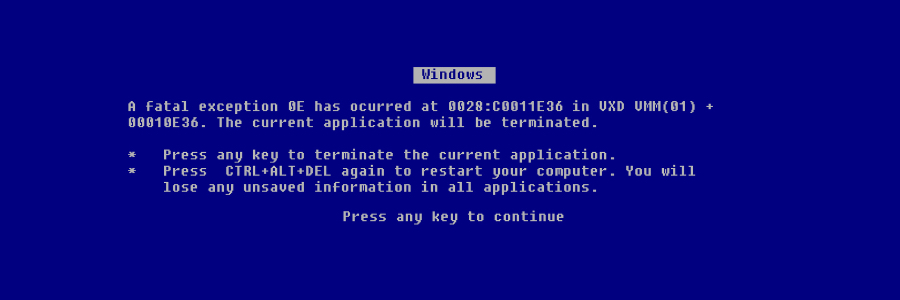
One of the most consistent issues with Windows 10 has been how updates are rolled out to users. Usually, the biggest problem is that updates slow computers’ performance to a crawl. Sometimes they cause computers to crash. But this time, updates are causing files to disappear.
Three methods to download and install Windows 10

Need to download Windows 10? Microsoft has got you covered. Windows 10 is available for download anytime online, and it’s perfect if you want to upgrade your PC, install a fresh copy, or burn it to a DVD for future use. This article will guide you through the process of downloading and installing Windows 10.
Method 1: Download Windows 10 from Microsoft’s website
The Media Creation tool makes it easy for you to download the Windows 10 ISO file for future use, or for saving to a DVD or USB flash drive as an installer.
How to remove these 5 computer clutter types

Unused apps, error logs, and user bloat are some things that may be cluttering up your computer, causing it to function at less than peak performance. We’ll show you how to remove clutter from your Windows 10 PC and get it to run smoothly again.
5 Types of PC clutter
There are five types of clutter that may be causing your Windows 10 computer to underperform.
Windows-to-Mac data transfer with Mojave Migration Assistant

Purchased a Mac? You’re probably excited to use this new and elegant machine. But your important documents, pictures, and other files are in your well-loved old Windows PC. Thankfully, Apple has made cross-platform transfer of your data simple with the macOS Mojave Migration Assistant.
What is bloatware, and how can you remove it?

Bloatware is software that nobody asked for but is on your computer, taking up valuable space. These software apps come with your hardware pre-installed, and very often, it isn’t always apparent how to delete them properly.
Superfish
In mid-2014, Lenovo users noticed that something was awry with their web browsers: banner ads were breaking webpage layouts and pop-ups were making surfing unpleasant.
Changes in Windows 10 update process

Windows 10 users receive regular security and feature updates for the operating system. But when such patches coincide with driver updates from Microsoft’s hardware partners, Windows 10 experiences compatibility problems. Here’s how Microsoft is addressing the issue.
Simplify logging in with Windows Hello

Just like in sci-fi movies, Microsoft’s biometric logins can now recognize your face, fingerprint, or eyes when you attempt to access your device. Here’s everything you need to know when setting up Windows Hello.
Say hello to fingerprint, iris, and facial scans
Windows Hello is an advanced biometric identity and access control feature in Windows 10. It allows you to log in to your computer without the need to enter a password.
Windows 10 security can be bypassed by Snatch malware

If your business is running on a Windows 10 operating system (OS), you should be careful of Snatch, a new strain of ransomware that can easily bypass its security protocols. Discovered by a research team in Sophos, this malware can slip through Windows 10’s security software by rebooting your computer in Safe Mode and disabling security programs from starting.